
Please find the PDF version : How to invite a user.pdf
This Article describes the steps for an existing customer to add a user
1 - Roles
We have three main roles.
Company manager
-Grants full access over all worksites, products, vehicles and users
- Allows the invitation of additional users.
Multiple company managers can be designated within a company.
Site manager:
-Can fully manage one or more worksites create and manage vehicles from the site he has access to
-Can invite users to their managed sites.
-A site manager is restricted from creating new worksites or accessing information about worksites outside their purview.
Standard user:
-Has view-only access to worksites they are authorized to see, including all related event information.
-Lacks permission to make edits.
Company managers and site managers can register a new product
2 - Invite a new user
Go to the "Users" submenu, which is located under the "Organization" menu. Inviting a user is only possible for a company manager and a site manager.
Click on "Create user":
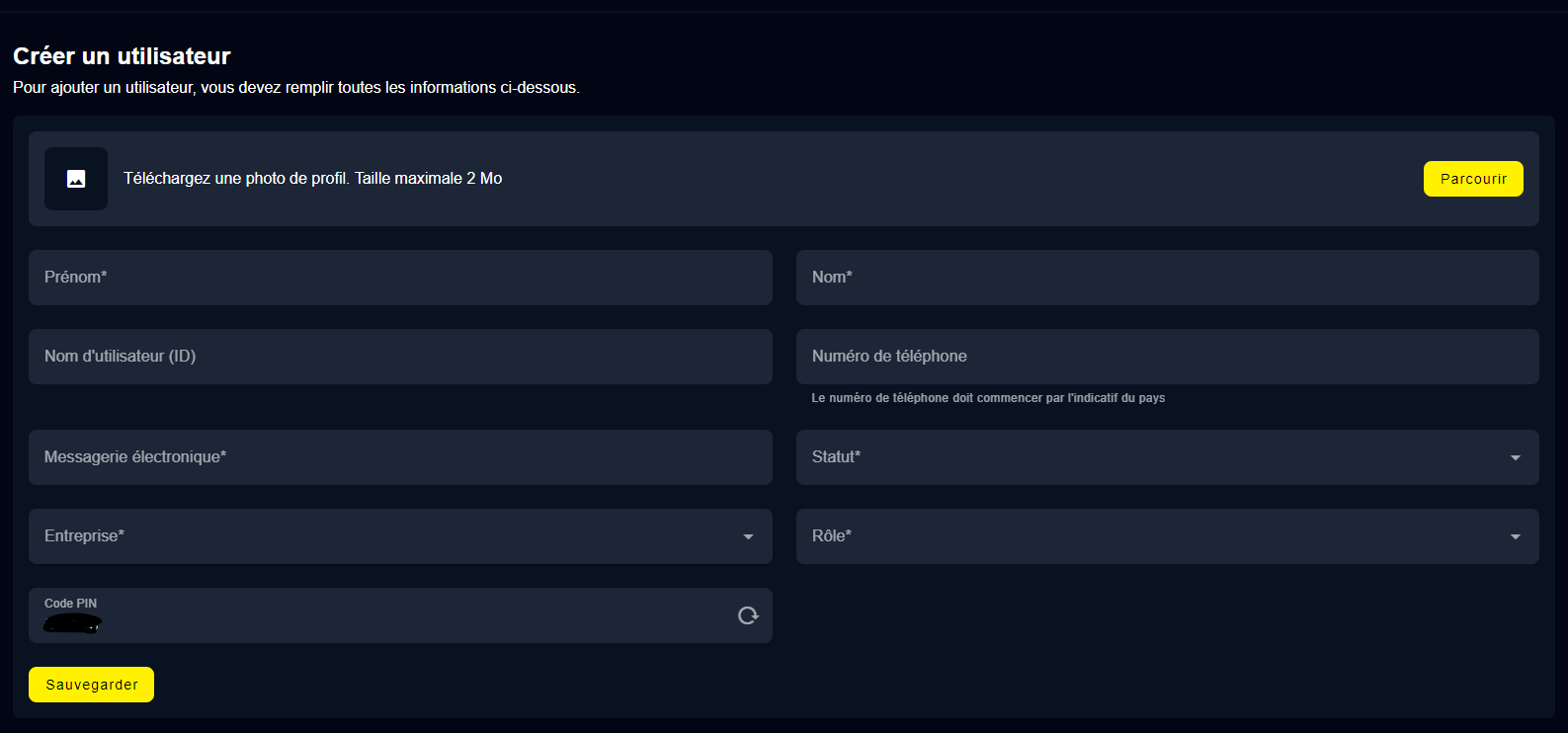
A new window will appear where you are required to enter the user's email, name, role, and the site to which you wish to grant access.