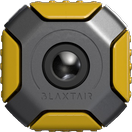
The Blaxtair Origin user interface consists of several modes available for the user:
-
Configuration
-
Driver mode
-
Backup / Update
-
Blaxtair information
Driver
The driver mode is the operating mode. It is the mode on which the system connect after a boot to be ready to use.
Overview
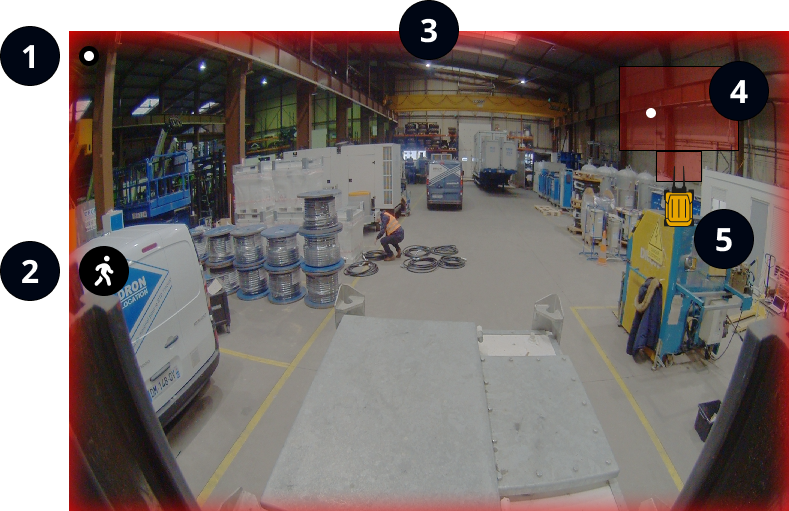
|
1 |

|
The heartbeat indicates that the Blaxtair Origin system is running. |
|
2 |

|
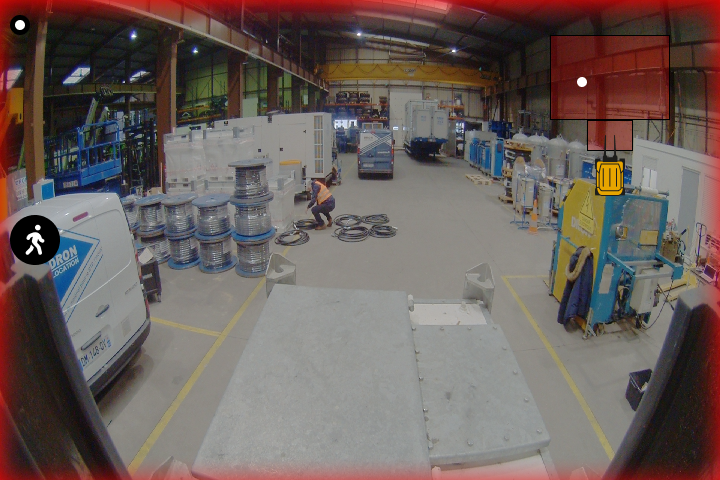
The Blaxtair Origin system shows the alarm type (e.g. pedestrian detection) with a flashing icon. |
|
3 |
|
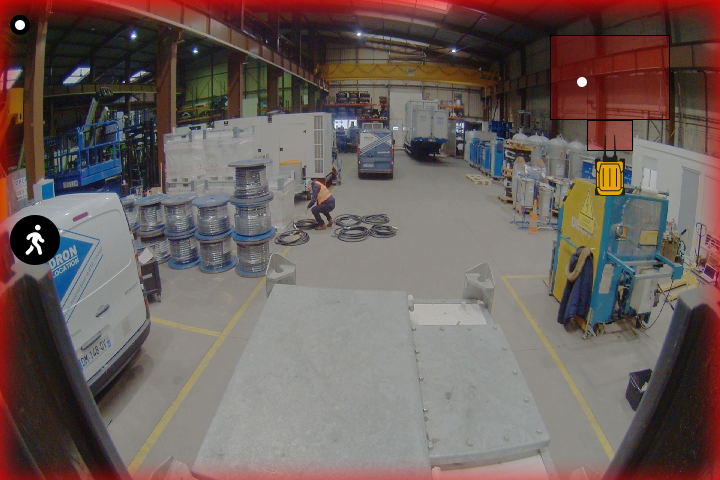
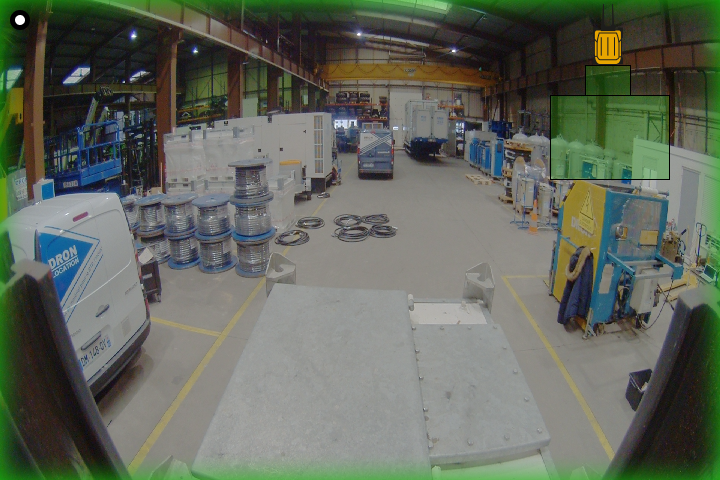
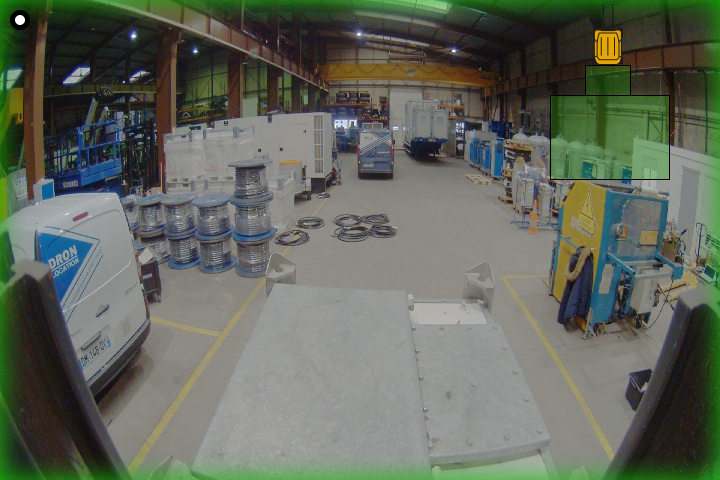
The Blaxtair Origin system displays a red overlay in case of an alarm and a green overlay when there is no needs to alert the driver. The green overlay also indicates to the driver that the image analysis is running. |
|
4 |

|
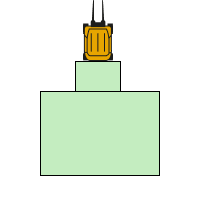
The Blaxtair Origin system shows the detection areas of the displayed camera. A detection area is also named a danger area. In case of an alarm, the detection areas are red and white dots indicate the detection positions (e.g., pedestrian). When there is no alarm, the detection areas are green. Detection areas The Blaxtair Origin system only shows the detection areas related to the displayed cameras. |
|
5 |

|
The Blaxtair Origin system shows a vehicle visual with relative dimensions to help the driver to review all detections and their positions. |
MR120A Configuration
Depending on the selected input management mode, the Blaxtair Origin system will change the displayed camera (e.g., change from forward to reverse gear).
Warning features
|
Use case |
Visual warning |
Audible warning |
Icon |
|
No pedestrian detection in the detection areas |
|
None |
None |
|
Pedestrian detection in the detection areas |
|

|

|
Troubleshooting - Warning alert
Find all information regarding the technical issues and visual alerts in 5. SUPPORT & TROUBLESHOOTING. < TO BE MODIFIED