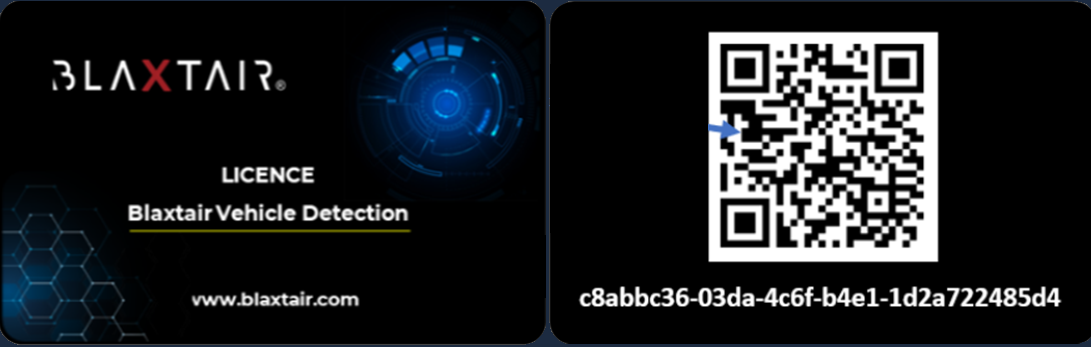
To activate the license you need to have the “Vehicle license card” ready. You should have ordered the “license for vehicle detection” (kit ref. 699-980-007) to Arcure/Blaxtair and received the activation quick start guide (20250625_QSG_Blaxtair Vehicle Detection.pdf) and the vehicle license card.
Below article will explain how to activate your vehicle detection license.
1️⃣ Go to “Enter code/QR code”
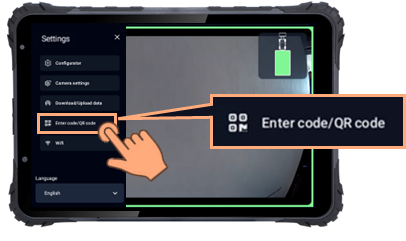
You will have to use your pass word which is 1235 by default
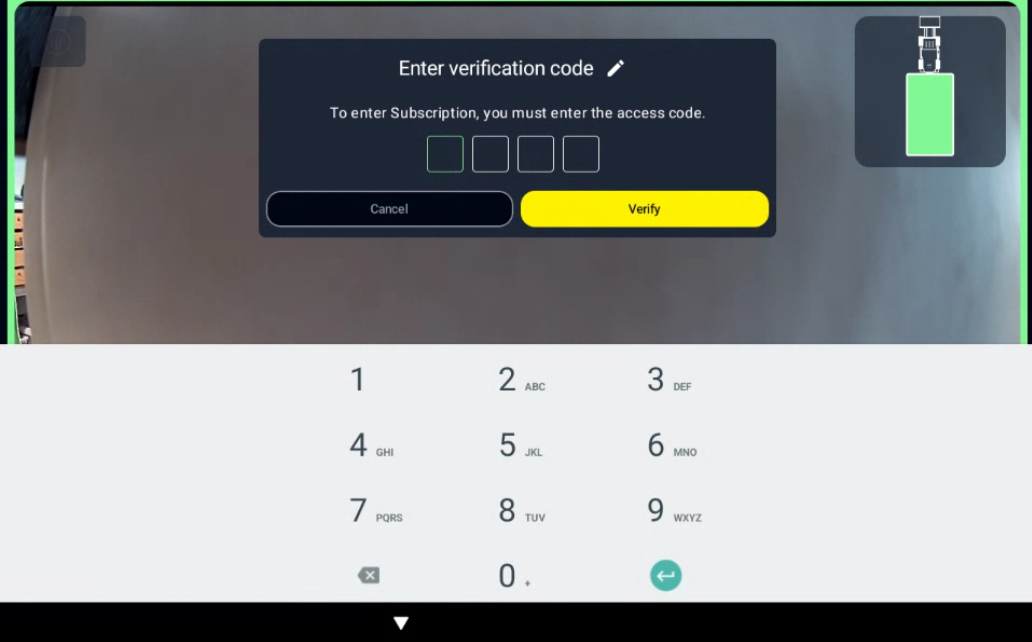
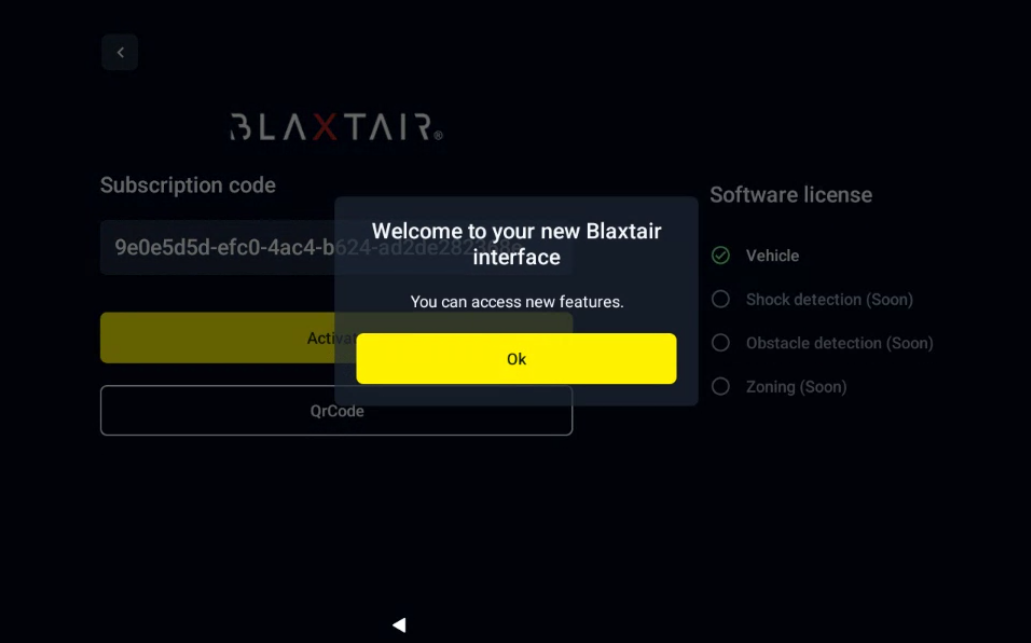
2️⃣ Enter the licence code
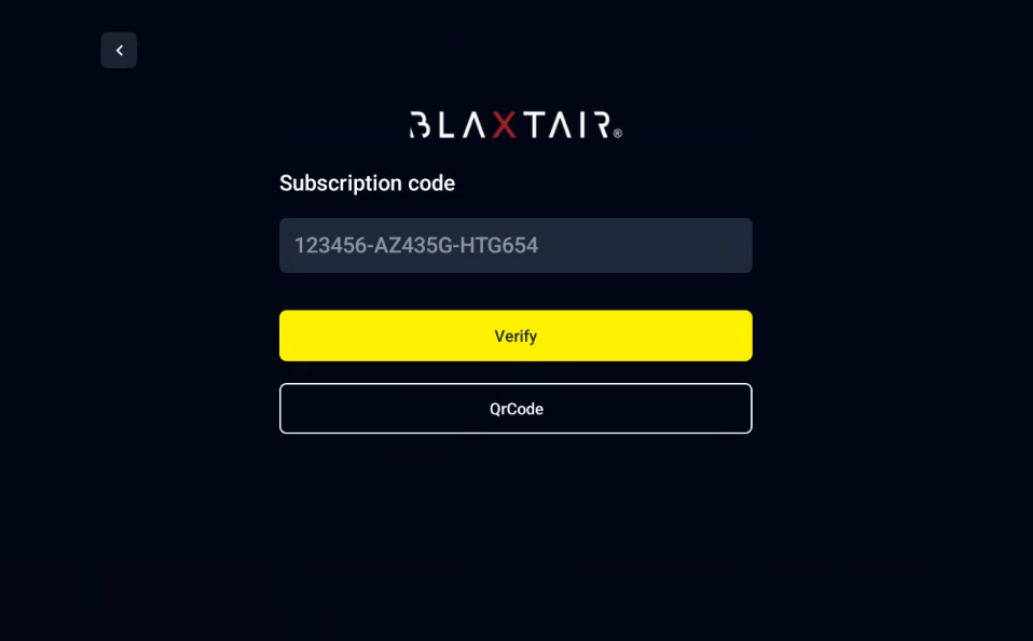
Once you reach this page you have two way to activate the code:
|
Automatic (using QR Code) |
Manually |
|---|---|
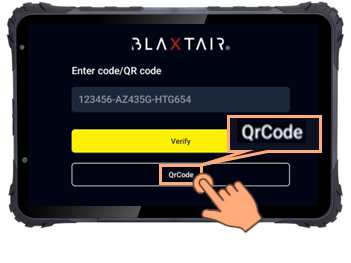
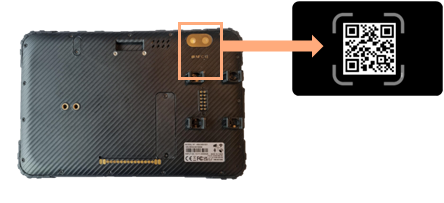
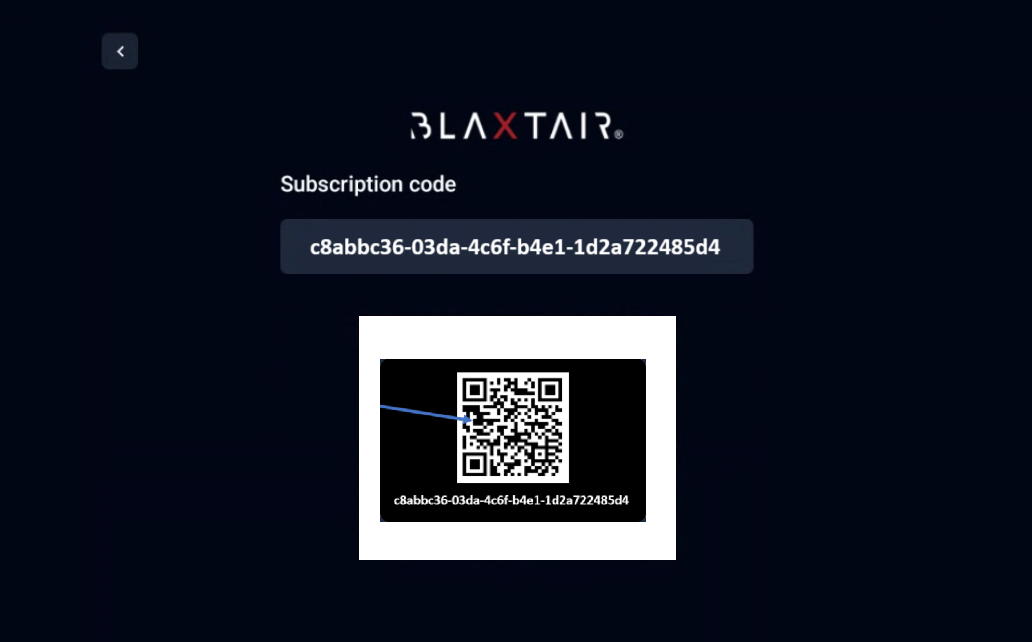
|
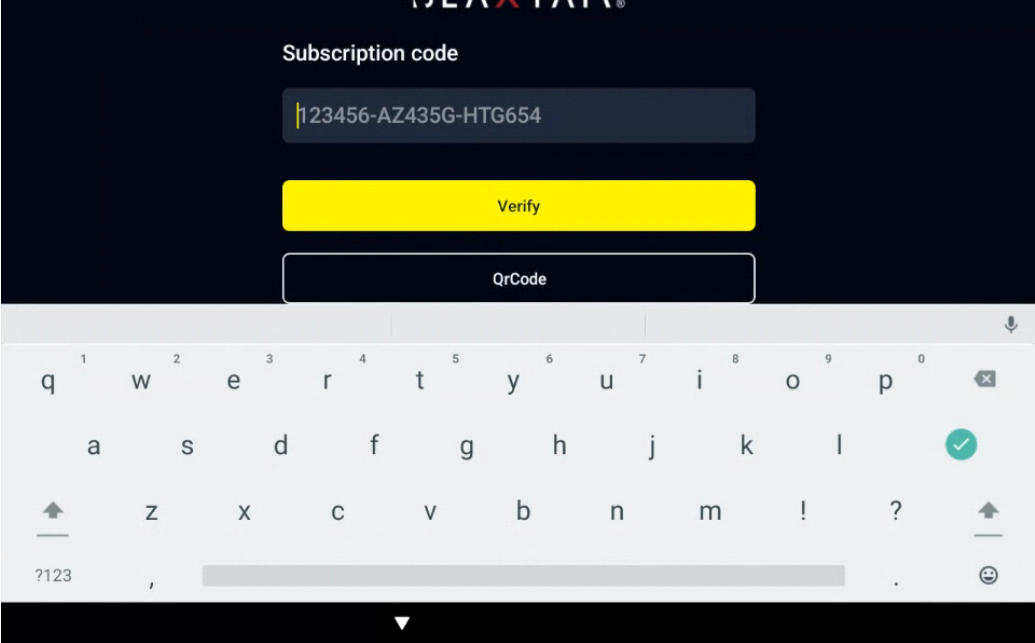
|
Click on “Verify”.
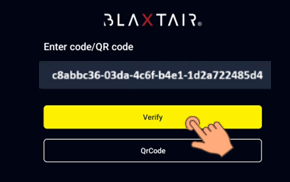
The vehicle license will be checked/green and the screen displays:
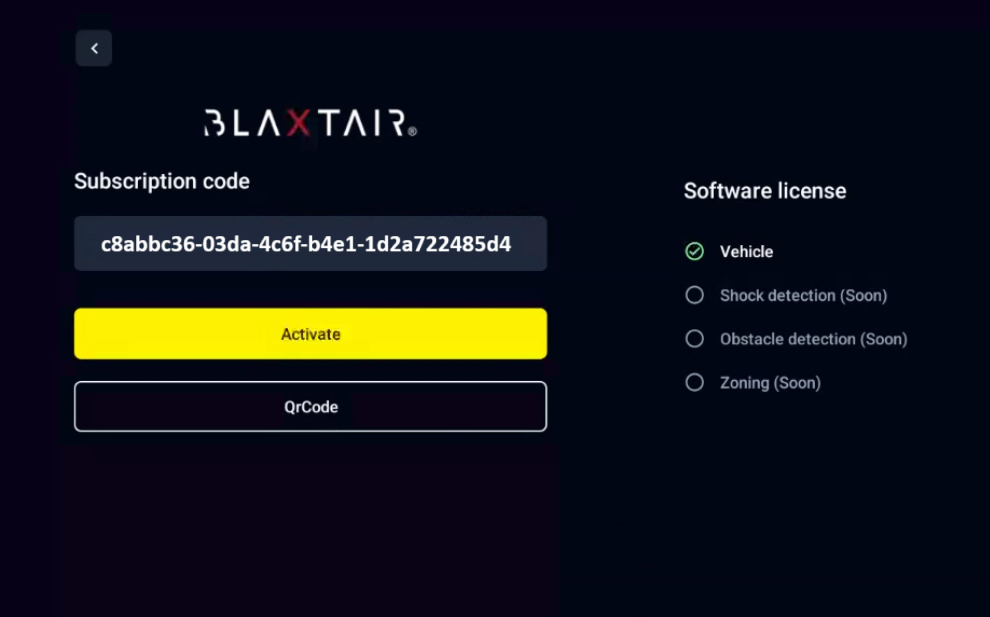
3️⃣ Licence activation
Click on “Activate”. The screen displays: